
I thought I had reviewed Microsoft OneNote before but it seems I have not. Shame on me! Microsoft OneNote is a quiet little powerhouse of an application. Think of it as an incredible personal assistant organizing every aspect of your life. Office 365 users have this application at your fingertips.
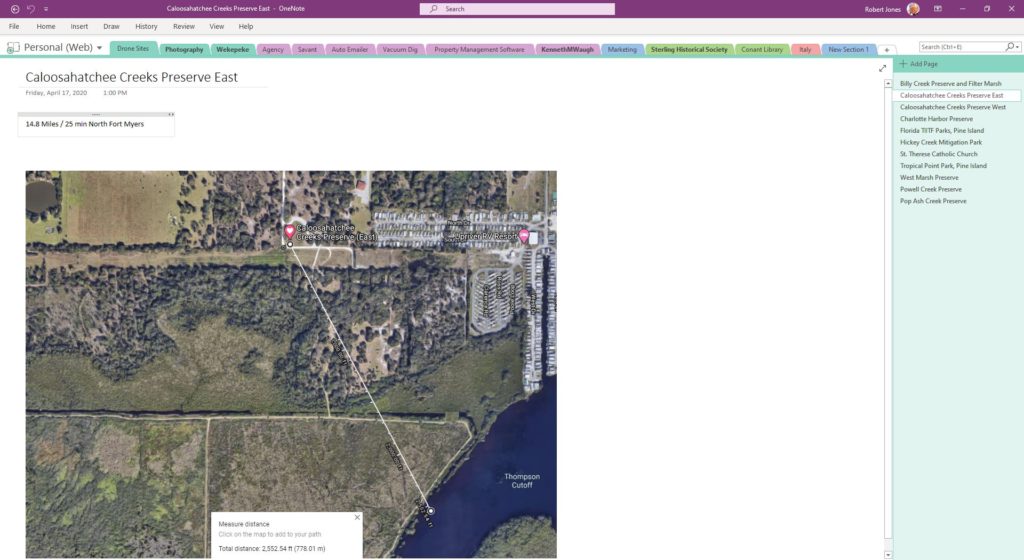
So what is it? It is an enormous file cabinet, the contents of which are safely synchronized to the cloud and accessible using your office desktop, home desktop, laptop, Windows or MAC, iPad or iPhone.
The file cabinet is filled with Notebooks containing colored folders, the tabs of which are displayed for quick access. Within the folders are pages, subpages and sub-subpages. Within a page can be a year’s worth of emails, contract documents or memos, links to web references, attached spreadsheet, a Visio diagram, screen-shots, pictures, recorded audio notes and even video clips.
It works with scanners, news readers, livescribe smartpens, Office Lens, OneNote Clipper, Feedly and more! Share a Notebook with employees, collaborators or partners. Mutually make modifications to folders or pages and OneNote will not only synchronize those changes but maintain a history of revisions as well.
Integrate Outlook with OneNote and you are able to link between a calendar item, like a meeting, to the notes you took in that meeting. Once the connection is made, synchronization between OneNote and Outlook allows you to flip back and forth between event and the notes for the event. A great use is to email OneNote pages directly from OneNote to participants of a meeting.
Microsoft OneNote is one of those applications that can quietly transform the way you work. It doesn’t demand that you change everything you do. Instead, it gives you a flexible place to organize information, capture ideas, manage projects, and collaborate with others.
Like many powerful tools, most people probably use only a fraction of its capabilities. But even that fraction can make a meaningful difference.
If you haven’t explored OneNote lately, it’s worth another look. Sometimes the most useful technology is already sitting on your computer, waiting to be discovered.